
Super Mario 3D World + Bowser's Fury
- This article is about the Nintendo Switch port of Super Mario 3D World. For the digital soundtrack album on the Nintendo Music app, see Super Mario 3D World + Bowser's Fury (Nintendo Music).
| Super Mario 3D World + Bowser's Fury | |||||||||||||||||||||||||||
|---|---|---|---|---|---|---|---|---|---|---|---|---|---|---|---|---|---|---|---|---|---|---|---|---|---|---|---|
 North American box art For alternate box art, see the related gallery. | |||||||||||||||||||||||||||
| Developers | Nintendo EPD Tokyo Nintendo Software Technology Corporation 1-UP Studio Panic Button[1] (Switch 2 enhancement) | ||||||||||||||||||||||||||
| Publisher | Nintendo | ||||||||||||||||||||||||||
| Platform | Nintendo Switch (enhanced for Nintendo Switch 2) | ||||||||||||||||||||||||||
| Release dates |  February 12, 2021[2] February 12, 2021[2] February 12, 2021[3] February 12, 2021[3] February 12, 2021[4] February 12, 2021[4] February 12, 2021[5] February 12, 2021[5] February 12, 2021[6] February 12, 2021[6] February 12, 2021[7] February 12, 2021[7] February 12, 2021[8] February 12, 2021[8] February 12, 2021[9] February 12, 2021[9] February 12, 2021[10] February 12, 2021[10] February 12, 2021[11] February 12, 2021[11] February 12, 2021[12] February 12, 2021[12] | ||||||||||||||||||||||||||
| Languages | English[A] Japanese Chinese (Simplified) Chinese (Traditional) Dutch French (Canada) French (Europe) German Italian Korean Portuguese (Europe) Russian Spanish (Latin America) Spanish (Europe) | ||||||||||||||||||||||||||
| Genres | Platformer, action | ||||||||||||||||||||||||||
| Ratings |
| ||||||||||||||||||||||||||
| Format |  Game Card Game Card Digital download Digital download | ||||||||||||||||||||||||||
| Input |  Joy-Con (horizontal) Joy-Con (horizontal) | ||||||||||||||||||||||||||
| Serial code | HAC-AUZPA-USA | ||||||||||||||||||||||||||
 - Everyone
 - All ages
 - Seven years and older
 - Six years and older
 - Six years and older
 - General audience
 - All ages
 - Seven years and older
 - All ages
 - Six years and older
 - Seven years and older
 - General
 - Ten to twelve years
Super Mario 3D World + Bowser's Fury is an expanded port of Super Mario 3D World for the Nintendo Switch, released on February 12, 2021, as part of the 35th anniversary of Super Mario Bros. The Super Mario 3D World campaign now supports local wireless and online play with up to four players, both of which were absent from the original version. There is also a standalone campaign named Bowser's Fury, which takes place in an open-world area called Lake Lapcat. After Bowser Jr. paints Bowser with black goop, the latter turns into Fury Bowser. Mario must cooperate with Bowser Jr. to collect Cat Shines and use their power to activate lighthouses and Giga Bells, both of which enable them to gradually rid Fury Bowser and Lake Lapcat of goop. As of 2024, it is recognized as the twenty-sixth entry in the Super Mario series on Mario Portal.[13]
This game was involved in two My Nintendo missions related to the Super Mario Bros. 35th Anniversary, both of which were necessary to complete to enter the My Nintendo Super Mario Bros. Sweepstakes: Wave 2; the first involved purchasing the game itself (physically or digitally), and the second involved finding five hidden stickers on the official website for the game. Four of these stickers were the main playable characters in Cat Suits, and the fifth was a Super Bell.
A free update for the game was released on June 5, 2025, improving image quality in both handheld and docked mode, improving the frame rate, adding HDR support for Bowser's Fury, and providing support for GameShare and GameChat when played on the Nintendo Switch 2.[14]
Super Mario 3D World
Controls
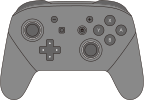
| Action | Dual Joy-Con or Pro Controller Controls | Single Joy-Con Controls | ||
|---|---|---|---|---|
| Stage controls | ||||
| Move | 
|

| ||
| Look around | Tilt 
|
N/A | ||
| Dash | +  / / 
|
+ 
| ||
| Jump |  / / 
|
 / / 
| ||
| Crouch |  / / 
|

| ||
| Item storage | 
|

| ||
| Open amiibo prompt | Hold 
|
N/A | ||
| Snapshot Mode | 
|
N/A | ||
| Use touch cursor |  ; touch the screen in handheld mode ; touch the screen in handheld mode
|
 ; touch the screen in handheld mode ; touch the screen in handheld mode
| ||
| Reset camera / touch cursor | 
|
N/A | ||
| Menu | 
|
 [a] [a]
| ||
| World Screen controls | ||||
| Move |
|
| ||
| Look around | Tilt
|
N/A | ||
| Dash | + /
|
+
| ||
| Jump | /
|
/
| ||
| Menu |
|
[a]
| ||
| Open map | 
|
N/A | ||
| Menu controls | ||||
| Select option |
|
| ||
| Confirm |
|
| ||
| Cancel |
|
| ||
- Footnotes


Action Guide
| Action | Dual Joy-Con or Pro Controller Controls | Single Joy-Con Controls |
|---|---|---|
 Hold items |
Press near an item
|
Press near an item
|
 Throw items |
While holding an item, press
|
While holding an item, press
|
 Spin |
Rotate
|
Rotate
|
 Spin Jump |
While spinning, press
|
While spinning, press
|
 Crouch Jump |
Hold , then press
|
Hold , then press
|
 Ground Pound |
While in midair, press
|
While in midair, press
|
 Ground Pound Jump |
Press in midair, then press when hitting the ground
|
Press in midair, then press when hitting the ground
|
 Long Jump |
While moving, press +
|
While moving, press +
|
 Roll |
+
|
+
|
 Rolling long jump |
During a roll, press
|
During a roll, press
|
 Midair roll |
While in midair, press +
|
While in midair, press +
|
 Side Somersault |
While running, tilt in the opposite direction and press
|
While running, tilt in the opposite direction and press
|
 Wall Jump |
While touching a wall in midair, press
|
While touching a wall in midair, press
|
| Exclusive to the Super Bell | ||
 Claw |
|
|
 Pounce |
+
|
+
|
 Claw dive |
While in midair, hold
|
While in midair, hold
|
 Climb walls |
While touching a wall in midair, tilt
|
While touching a wall in midair, tilt
|
| Exclusive to the Fire Flower | ||
 Throw fireballs |
|
|
| Exclusive to the Boomerang Flower | ||
 Throw boomerang |
|
|
| Exclusive to the Super Leaf | ||
 Tail attack |
|
|
 Float downward |
While in midair, hold
|
While in midair, hold
|
| Exclusive to multiplayer mode | ||
 Enter a bubble |
+
|
+
|
 Pick up a character |
Press next to a character
|
Press next to a character
|
 Throw a character |
While holding a character, press
|
While holding a character, press
|
 Synchro Ground Pound |
While in midair, press at the same time as other players
|
While in midair, press at the same time as other players
|
New playable characters
| Characters | Description |
|---|---|
 Toad Brigade |
When playing Captain Toad's Adventures levels in multiplayer, any additional players control members of the Toad Brigade, who all share the same attributes as Captain Toad (aside from lacking a flashlight, which affects Captain Toad Plays Peek-a-Boo). Before a stage starts, all players are assigned Captain Toad (P1), Hint Toad (P2), Banktoad (P3), and Yellow Toad (P4); unlike the main characters, they cannot be swapped. |
New power-up
| Item | Transformation | Description |
|---|---|---|
 Invincibility Bell |
 White Cat Mario |
A white and yellow striped bell similar to the Invincibility Leaf that can only be obtained by scanning the Cat Mario or Cat Peach amiibo. It gives characters a white Cat Suit, giving them the same abilities as their normal Cat forms as well as permanent invincibility. This form is similar to White Tanooki Mario and White Raccoon Mario. |
Changes
Gameplay
Several enhancements are made to the overall gameplay compared to the original Wii U release:
- All characters except Captain Toad move approximately 40% faster than in the original game, in both levels and the world map.
- To accommodate for the change in character speed, some levels, such as Conkdor Canyon, have had minor alterations to the objects within them.
- Cutscenes that serve as the intermissions between gameplay are now able to be skipped.
- Various basic character movements and abilities have been enhanced: for example, characters bouncing off of an enemy while Long Jumping now automatically perform another Long Jump, rather than a standard jump, and characters jumping while facing a wall with no directional input now slide against the wall, enabling them to Wall Jump. Additionally, Side Somersaults are now able to be performed while walking.
- When carrying objects or other characters, players no longer are required to hold ; pressing the button again is instead required to throw the object or character.
- Performing handstands atop trees has varying distances with directional inputs. When handstanding, characters turn clockwise if the player holds right, and counterclockwise if they hold left, which is reversed compared to the original version.
- When crouched on a slope, characters remain crouched for about one second before beginning to slide down it, rather than sliding the moment they touch the slope. When jumping while crouched and sliding down a slope, characters now perform a Long Jump instead of a regular jump.
- Rosalina has some tweaks to her gameplay: her jump is slightly less floaty and she lands slightly faster.
- In the world map, the yellow path that connects levels is created more quickly when a new level is unlocked.
- After exiting a level, the player regains control of the characters quicker, as the game now saves in the background.
- Switching between the map, course list, and Stamp chart is now done by pressing the and buttons, rather than buttons on the screen.
Gameplay improvements inspired from Super Mario Odyssey are implemented in the game:
- In addition to four save files now being present instead of three, they are saved, loaded, and copied in the same manner as in Super Mario Odyssey.
- Characters can now roll in midair, similar to the dive, and they can perform a roll or Ground Pound Jump immediately after landing from a Ground Pound.
- Characters can also fall through upright Warp Pipes when performing a Ground Pound through the center from above. Similarly, characters now enter sideways Warp Pipes immediately when rolling through the center without their momentum being interrupted.
- The sped-up variant of the Warp Pipe sound effect from Super Mario Odyssey is reused upon entering Warp Pipes in either of these ways.
Some general improvements include changing behaviors and properties of various objects and camera controls:
- Rows of coins triggered to appear by collecting certain lone coins finish appearing faster than in the original game.
- The camera no longer zooms if the player remains idle in some areas, such as the beginning of Piranha Creeper Creek, and the idle zoom does not reset if the player presses as it does in the original release.
- If players lose a life after collecting a Green Star or a Stamp, they keep it instead of having to collect it again; this does not apply to Captain Toad's levels, however.
- The Goal Pole can no longer be jumped over, as characters now snap to the top if they attempt to pass it.


Power-ups have also received improvements and alterations to their functionality:
- Green Shells can no longer be occupied idly; the shell always slides in the direction the user is facing when entered, but it can be stopped by the touch cursor. They also move faster than in the original game.
- Fireballs move faster and cover a longer distance. They also have a slightly different angle when thrown.
- The Cat forms now allow characters to climb higher. Additionally, the form's claw dive continuously dives until the character touches the ground, similarly to Super Mario Maker 2, though it does stop eventually at extremely long distances.
- For characters in the Tanooki Suit, the window to perform a charge jump while crouched during a tail spin is now much smaller, and most attempts are canceled out by a normal charged jump instead. It is also more difficult to perform a Long Jump while using a tail spin, as it is usually canceled with a normal Long Jump.
Multiplayer mode now supports both local wireless and Nintendo Switch Online connections:
- Up to two players can play on a single system in local wireless mode. In these modes, entering a bubble to rendezvous with other players can now only be performed by pressing and together instead of either one alone.
- Captain Toad's Adventures can now be played with up to four players, unlike in the original release where these levels were single-player only. For these levels, additional players play as the Toad Brigade members, with all players being assigned one to play as before a level begins.
- Similarly to normal levels, the game ranks each player's points in multiplayer in the Captain Toad levels as well, though the winning player does not get a crown.
Improvements and alterations introduced in Captain Toad: Treasure Tracker and its Nintendo Switch port are retained in this game:
- Captain Toad's headlamp can now defeat Boos and Peepas, similarly to the Light Box.
- The pause menu now features the ability to retry a course, rather than having to return to the world map to do so.
- In TV mode, gyroscopic pointer controls replace the touchscreen controls of the Wii U version, which are activated by pressing (in a similar vein to the Star Pointer in the Super Mario 3D All-Stars version of Super Mario Galaxy), and an emblem of the character controlling the pointer is present.
- Due to the lack of a microphone on the Nintendo Switch console, Propeller Platforms have been replaced in every level where they appeared; they are replaced by Lifts in Captain Toad Goes Forth and Puffprod Peaks, invisible clouds in Blast Block Skyway, and Touchstones in Captain Toad's Fiery Finale.
Other changes and additions to the game:
- Luigi Bros. can now only be unlocked by defeating Meowser in The Great Tower of Bowser Land; having New Super Luigi U save data on the system through ownership of New Super Mario Bros. U Deluxe no longer unlocks it from the beginning. There is also now an option to quickly exit to the title screen from Luigi Bros., as opposed to being forced to exit to the Home Menu.
- Functionality for amiibo has been added, accessed by pressing